



Inogic: Transforming #MSDyn365 #PowerPlatform
@inogic.bsky.social
Explore 15+ #CRM #Dataverse Apps @Maplytics, Doc Mgmt, Visualization, Productivity apps et al. Your go-to for #MSDyn365 #PowerPlatform #AI #Copilot services!
Pinned

Low-code is unlocking a new era where anyone can build:
🤖 Task Bots
✅ Approval Agents
📊 Smart Workflows
Ready to build your next AI agent?
Connect with us: [email protected] OR www.inogic.com/services?utm...
#NoCode #LowCode #InogicSolutions
🤖 Task Bots
✅ Approval Agents
📊 Smart Workflows
Ready to build your next AI agent?
Connect with us: [email protected] OR www.inogic.com/services?utm...
#NoCode #LowCode #InogicSolutions
How #CopilotStudio Leverages Deep Reasoning for Intelligent Support Operations
www.inogic.com/blog/2025/12...
#AIinSupport #IntelligentAutomation #Dynamics365
www.inogic.com/blog/2025/12...
#AIinSupport #IntelligentAutomation #Dynamics365

How Copilot Studio Leverages Deep Reasoning for Intelligent Support Operations - Microsoft Dynamics 365 CRM Tips and Tricks
Deep Reasoning in Microsoft Copilot Studio enables AI agents to analyze multi-step support scenarios, evaluate historical case data, apply business rules, and recommend well-reasoned actions similar to how an experienced support specialist thinks. AI agents are becoming a core part of customer service operations, but traditional conversational models often struggle when scenarios become complex, like
www.inogic.com
December 18, 2025 at 7:30 AM
How #CopilotStudio Leverages Deep Reasoning for Intelligent Support Operations
www.inogic.com/blog/2025/12...
#AIinSupport #IntelligentAutomation #Dynamics365
www.inogic.com/blog/2025/12...
#AIinSupport #IntelligentAutomation #Dynamics365
Modern forecasting isn’t guesswork.
It’s AI-powered CRM intelligence 📈
See how 👇
www.inogic.com/blog/2025/12...
#Dynamics365 #AI #SalesForecasting #PredictiveAnalytics #CRMData
It’s AI-powered CRM intelligence 📈
See how 👇
www.inogic.com/blog/2025/12...
#Dynamics365 #AI #SalesForecasting #PredictiveAnalytics #CRMData

What’s the Best Way to Predict Sales and Outcomes Using AI in Your CRM? - Microsoft Dynamics 365 CRM Tips and Tricks
Transform Dynamics 365 CRM with Predict4Dynamics - ML-Driven predictive analytics and explainable AI forecasting that help teams make confident, data-driven decisions.
www.inogic.com
December 18, 2025 at 5:30 AM
Modern forecasting isn’t guesswork.
It’s AI-powered CRM intelligence 📈
See how 👇
www.inogic.com/blog/2025/12...
#Dynamics365 #AI #SalesForecasting #PredictiveAnalytics #CRMData
It’s AI-powered CRM intelligence 📈
See how 👇
www.inogic.com/blog/2025/12...
#Dynamics365 #AI #SalesForecasting #PredictiveAnalytics #CRMData
Build AI-Powered Apps in Minutes with Power Apps Vibe: A Complete Guide
www.inogic.com/blog/2025/12...
#PowerApps #LowCode #Dynamics365 #PowerPlatform
www.inogic.com/blog/2025/12...
#PowerApps #LowCode #Dynamics365 #PowerPlatform

Build AI-Powered Apps in Minutes with Power Apps Vibe: A Complete Guide - Microsoft Dynamics 365 CRM Tips and Tricks
If you’ve ever tried building apps with Microsoft Power Apps, you know the process: creating tables, designing screens, adding controls, connecting data, and writing formulas. While the traditional app-building process is effective, it can also be time-consuming and complex. But now, imagine this: You simply describe the app you need, and within minutes, Power Apps
www.inogic.com
December 18, 2025 at 3:30 AM
Build AI-Powered Apps in Minutes with Power Apps Vibe: A Complete Guide
www.inogic.com/blog/2025/12...
#PowerApps #LowCode #Dynamics365 #PowerPlatform
www.inogic.com/blog/2025/12...
#PowerApps #LowCode #Dynamics365 #PowerPlatform
Visualize CRM relationships in Mind Map view 👇
www.inogic.com/blog/2025/11...
#Dynamics365 #CRM #MindMap #DataVisualization #HierarchyView
www.inogic.com/blog/2025/11...
#Dynamics365 #CRM #MindMap #DataVisualization #HierarchyView

How to Configure CRM Relationships for a Mind-Map View in Dynamics 365 - Microsoft Dynamics 365 CRM Tips and Tricks
Modern organisations rely on vast webs of customer, partner, and product data. In Microsoft Dynamics 365 CRM, this often means dealing with complex relationship types - 1 : N, N : 1, N : N - across accounts, contacts, opportunities, and custom entities. Navigation through multiple forms and lists wastes time, hampers insights, and reduces
www.inogic.com
December 17, 2025 at 11:30 PM
Visualize CRM relationships in Mind Map view 👇
www.inogic.com/blog/2025/11...
#Dynamics365 #CRM #MindMap #DataVisualization #HierarchyView
www.inogic.com/blog/2025/11...
#Dynamics365 #CRM #MindMap #DataVisualization #HierarchyView
How to Automate Document Signing with #DocuSign in #PowerAutomate
www.inogic.com/blog/2025/11...
#Dynamics365CRM #ESignature #WorkflowAutomation
www.inogic.com/blog/2025/11...
#Dynamics365CRM #ESignature #WorkflowAutomation

How to Automate Document Signing with DocuSign in Power Automate - Microsoft Dynamics 365 CRM Tips and Tricks
Introduction In an earlier Inogic post, “Streamlining E-Signatures in Multi-Step Forms with Power Pages and DocuSign Integration”, Our previous post demonstrated how Power Pages and DocuSign integration streamlines multi-step client data entry and signature workflow. In this article, we focus on the next step of how to use Power Automate together with DocuSign to automatically
www.inogic.com
December 17, 2025 at 7:30 PM
How to Automate Document Signing with #DocuSign in #PowerAutomate
www.inogic.com/blog/2025/11...
#Dynamics365CRM #ESignature #WorkflowAutomation
www.inogic.com/blog/2025/11...
#Dynamics365CRM #ESignature #WorkflowAutomation
Automation was step one.
#AgenticAI is the real productivity leap ⚡
Watch now 👇
▶️ www.youtube.com/shorts/RWOjA...
#AIProductivity #AITrends #Automation #BusinessAI
#AgenticAI is the real productivity leap ⚡
Watch now 👇
▶️ www.youtube.com/shorts/RWOjA...
#AIProductivity #AITrends #Automation #BusinessAI

Agentic AI- The Next Big Productivity Shift. #shortsfeed
What if AI didn’t just assist you? What if it actually worked with you? Agentic AI goes beyond insights by planning tasks, supporting decisions, and executing routine actions automatically. From handling repetitive workflows to keeping operations moving in the background, Agentic AI frees teams to focus on what truly matters. Are you curious about bringing Agentic AI into your Microsoft Dynamics 365 environment? Connect with Inogic to explore how intelligent agents can elevate productivity across your business. #ai #trending #aivideo #shortsviral #shorts #shortsvideo #shortstop
www.youtube.com
December 17, 2025 at 5:30 PM
Automation was step one.
#AgenticAI is the real productivity leap ⚡
Watch now 👇
▶️ www.youtube.com/shorts/RWOjA...
#AIProductivity #AITrends #Automation #BusinessAI
#AgenticAI is the real productivity leap ⚡
Watch now 👇
▶️ www.youtube.com/shorts/RWOjA...
#AIProductivity #AITrends #Automation #BusinessAI
The Only Guide You’ll Need for Dynamics 365 CRM #DataCloning in 2026 @msdynamicsworld
msdynamicsworld.com/blog/only-gu...
#Dynamics365 #CRMData #AiAutomation
msdynamicsworld.com/blog/only-gu...
#Dynamics365 #CRMData #AiAutomation

The Only Guide You’ll Need for Dynamics 365 CRM Data Cloning in 2026
Many teams today generate more CRM data than ever - opportunities, cases, projects, quotes, campaigns, and hundreds of custom entities. The challenge? Much of this data follows repetitive patterns, and manually recreating similar records consumes hours of valuable time.
msdynamicsworld.com
December 17, 2025 at 3:30 PM
The Only Guide You’ll Need for Dynamics 365 CRM #DataCloning in 2026 @msdynamicsworld
msdynamicsworld.com/blog/only-gu...
#Dynamics365 #CRMData #AiAutomation
msdynamicsworld.com/blog/only-gu...
#Dynamics365 #CRMData #AiAutomation
🎄 Santa delivers gifts. Inogic delivers #Microsoft Professional Services.
Modernize CRM with #Dynamics365, Power Platform, AI & #Copilot - implementation, automation & support via iSupport & iXtend.
🎯 Build an AI-ready #CRM for the year ahead.
📩 [email protected]
#AI #Inogic
Modernize CRM with #Dynamics365, Power Platform, AI & #Copilot - implementation, automation & support via iSupport & iXtend.
🎯 Build an AI-ready #CRM for the year ahead.
📩 [email protected]
#AI #Inogic

December 17, 2025 at 12:34 PM
🎄 Santa delivers gifts. Inogic delivers #Microsoft Professional Services.
Modernize CRM with #Dynamics365, Power Platform, AI & #Copilot - implementation, automation & support via iSupport & iXtend.
🎯 Build an AI-ready #CRM for the year ahead.
📩 [email protected]
#AI #Inogic
Modernize CRM with #Dynamics365, Power Platform, AI & #Copilot - implementation, automation & support via iSupport & iXtend.
🎯 Build an AI-ready #CRM for the year ahead.
📩 [email protected]
#AI #Inogic
How to Accelerate #PowerPages Development Using Server Logic?
www.inogic.com/blog/2025/11...
#PowerPlatform #LowCode #Dynamics365
www.inogic.com/blog/2025/11...
#PowerPlatform #LowCode #Dynamics365

How to Accelerate Power Pages Development Using Server Logic? - Microsoft Dynamics 365 CRM Tips and Tricks
When developing portals or websites using Power Pages, makers often rely on client-side scripting or external flows to implement business rules, integrations, and data operations. While this approach works, it can sometimes introduce challenges around security, maintenance, and consistency. The introduction of Server Logic in Power Pages helps overcome these limitations by moving your business
www.inogic.com
December 17, 2025 at 11:30 AM
How to Accelerate #PowerPages Development Using Server Logic?
www.inogic.com/blog/2025/11...
#PowerPlatform #LowCode #Dynamics365
www.inogic.com/blog/2025/11...
#PowerPlatform #LowCode #Dynamics365
Copilot can work exactly the way your business works when it’s customized with your own processes and data.
👉 www.inogic.com/services/ai-...
#Dynamics365 #BusinessAI #CopilotStudio #AIConsulting
👉 www.inogic.com/services/ai-...
#Dynamics365 #BusinessAI #CopilotStudio #AIConsulting

Get Consulting and Implementation Services for MS Copilot Studio
Customize or build your own Copilot with the help of Inogic's Professional Development Services for Microsoft Copilot Studio. Connect with us now!
www.inogic.com
December 17, 2025 at 7:30 AM
Copilot can work exactly the way your business works when it’s customized with your own processes and data.
👉 www.inogic.com/services/ai-...
#Dynamics365 #BusinessAI #CopilotStudio #AIConsulting
👉 www.inogic.com/services/ai-...
#Dynamics365 #BusinessAI #CopilotStudio #AIConsulting
Mastering Power Platform Security: A Complete Guide for Protecting Your CRM Data
www.inogic.com/blog/2025/11...
#PowerPlatform #Dynamics365 #CRM #DataProtection
www.inogic.com/blog/2025/11...
#PowerPlatform #Dynamics365 #CRM #DataProtection

Mastering Power Platform Security: A Complete Guide to Protecting Your CRM Data - Microsoft Dynamics 365 CRM Tips and Tricks
The Security Overview page in the Power Platform admin center serves as a centralized dashboard where you can monitor security, review your security score, and activate recommended policies. For CRM administrators managing Dynamics 365 and Power Platform environments, understanding these security features is essential to safeguarding your organization’s data. Introduction Microsoft Power Platform enables organizations
www.inogic.com
December 17, 2025 at 5:30 AM
Mastering Power Platform Security: A Complete Guide for Protecting Your CRM Data
www.inogic.com/blog/2025/11...
#PowerPlatform #Dynamics365 #CRM #DataProtection
www.inogic.com/blog/2025/11...
#PowerPlatform #Dynamics365 #CRM #DataProtection
Your Mailchimp journey data shouldn’t hide in another tab.
Now see it live inside your CRM 👀
🎥 www.youtube.com/shorts/WfxVs...
#MarketingAnalytics #CRMWorkflows #CRMAutomation #DynamicsCRM
Now see it live inside your CRM 👀
🎥 www.youtube.com/shorts/WfxVs...
#MarketingAnalytics #CRMWorkflows #CRMAutomation #DynamicsCRM

Track Mailchimp Customer Journeys Inside Dynamics 365 CRM
If you're running automated Customer Journey email campaigns in Mailchimp but your Dynamics 365 CRM shows zero engagement data—you’re not alone. Marketing4Dynamics fixes this by syncing your Mailchimp Customer Journey activities straight into Dynamics 365. 🔥 Track opens, clicks, triggers & journey stages inside CRM 📌 See every customer’s journey history on their timeline 🚀 Give sales the real engagement data they need to follow up smarter Bring your Customer Journey insights where they matter—inside Dynamics 365. #trending #shortsfeed #shorts #shortsviral #shortvideo #shortsyoutube
www.youtube.com
December 17, 2025 at 3:30 AM
Your Mailchimp journey data shouldn’t hide in another tab.
Now see it live inside your CRM 👀
🎥 www.youtube.com/shorts/WfxVs...
#MarketingAnalytics #CRMWorkflows #CRMAutomation #DynamicsCRM
Now see it live inside your CRM 👀
🎥 www.youtube.com/shorts/WfxVs...
#MarketingAnalytics #CRMWorkflows #CRMAutomation #DynamicsCRM
Better maps. Better decisions.
Here are 8 geo-mapping solutions every business should know 👇
🔗 www.maplytics.com/blog/8-leadi...
#LocationInsights #GeoAnalytics #GeoMapping #FieldOperations
Here are 8 geo-mapping solutions every business should know 👇
🔗 www.maplytics.com/blog/8-leadi...
#LocationInsights #GeoAnalytics #GeoMapping #FieldOperations

8 Leading Geo-Mapping Applications Every Business Should Know - Blog | Maplytics
Explore the top 8 geo-mapping applications that matter in 2026. Pick a tool that fits your CRM and workflow.
www.maplytics.com
December 16, 2025 at 11:30 PM
Better maps. Better decisions.
Here are 8 geo-mapping solutions every business should know 👇
🔗 www.maplytics.com/blog/8-leadi...
#LocationInsights #GeoAnalytics #GeoMapping #FieldOperations
Here are 8 geo-mapping solutions every business should know 👇
🔗 www.maplytics.com/blog/8-leadi...
#LocationInsights #GeoAnalytics #GeoMapping #FieldOperations
How to Use Modern Invoicing in Project Operations
www.inogic.com/blog/2025/11...
#Dynamics365 #PowerPlatform #BillingAutomation
www.inogic.com/blog/2025/11...
#Dynamics365 #PowerPlatform #BillingAutomation

How to Use Modern Invoicing in Project Operations - Microsoft Dynamics 365 CRM Tips and Tricks
Managing invoicing within project operations is an integral part that project managers use on a daily basis for billing purposes. Earlier invoicing in Project Operations required multiple clicks and a lot of manual work, as features like bulk editing, consolidation of line items were not feasible. With Microsoft’s new Modern Invoice experience, the entire process
www.inogic.com
December 16, 2025 at 7:30 PM
How to Use Modern Invoicing in Project Operations
www.inogic.com/blog/2025/11...
#Dynamics365 #PowerPlatform #BillingAutomation
www.inogic.com/blog/2025/11...
#Dynamics365 #PowerPlatform #BillingAutomation
Never miss an update in Dynamics 365 CRM.
Here’s the ultimate guide to alerts & notifications 👇
www.inogic.com/blog/2025/12...
#Dynamics365 #CRMAlerts #CRMNotifications #CRMTools
Here’s the ultimate guide to alerts & notifications 👇
www.inogic.com/blog/2025/12...
#Dynamics365 #CRMAlerts #CRMNotifications #CRMTools

The Ultimate Guide to Setting Up Alerts & Notifications in Dynamics 365 CRM - Microsoft Dynamics 365 CRM Tips and Tricks
In many businesses, important updates in Dynamics 365 CRM go unnoticed. One delayed update can cost a deal, damage customer trust, or slow down decision-making. Sales teams miss important lead updates, service teams fail to act on escalations, and marketing teams lose track of campaign responses. Common Challenges Teams Face with Alerts in CRM
www.inogic.com
December 16, 2025 at 5:30 PM
Never miss an update in Dynamics 365 CRM.
Here’s the ultimate guide to alerts & notifications 👇
www.inogic.com/blog/2025/12...
#Dynamics365 #CRMAlerts #CRMNotifications #CRMTools
Here’s the ultimate guide to alerts & notifications 👇
www.inogic.com/blog/2025/12...
#Dynamics365 #CRMAlerts #CRMNotifications #CRMTools
How to Build Environment-Aware Flows by Fetching CRM #Metadata Dynamically in Power Automate
www.inogic.com/blog/2025/12...
#CRMEnvironment #MsDyn365 #PowerPlatform
www.inogic.com/blog/2025/12...
#CRMEnvironment #MsDyn365 #PowerPlatform

How to Build Environment-Aware Flows by Fetching CRM Metadata Dynamically in Power Automate - Microsoft Dynamics 365 CRM Tips and Tricks
Stop relying on OData workarounds and use a professional API-based pattern instead. When building flows in Power Automate, you often need environment-specific metadata like the CRM base URL, Dataverse environment URL, or Azure Tenant ID. These values are essential when sending automated emails, calling external APIs, generating dynamic links, or logging metadata for audit scenarios.
www.inogic.com
December 16, 2025 at 3:30 PM
How to Build Environment-Aware Flows by Fetching CRM #Metadata Dynamically in Power Automate
www.inogic.com/blog/2025/12...
#CRMEnvironment #MsDyn365 #PowerPlatform
www.inogic.com/blog/2025/12...
#CRMEnvironment #MsDyn365 #PowerPlatform
#AgenticAI isn’t just automation — it’s the next big productivity shift 🚀
Watch now 👇
▶️ www.youtube.com/shorts/RWOjA...
#AIProductivity #AITrends #Automation #BusinessAI
Watch now 👇
▶️ www.youtube.com/shorts/RWOjA...
#AIProductivity #AITrends #Automation #BusinessAI

December 16, 2025 at 11:30 AM
#AgenticAI isn’t just automation — it’s the next big productivity shift 🚀
Watch now 👇
▶️ www.youtube.com/shorts/RWOjA...
#AIProductivity #AITrends #Automation #BusinessAI
Watch now 👇
▶️ www.youtube.com/shorts/RWOjA...
#AIProductivity #AITrends #Automation #BusinessAI
Planning smarter starts with better #mapping.
Here are the top 8 geo-mapping solutions leading the way.
🔗https://www.maplytics.com/blog/8-leading-geo-mapping-applications-every-business-should-know/
#LocationInsights #GeoAnalytics #GeoMapping #FieldOperations
Here are the top 8 geo-mapping solutions leading the way.
🔗https://www.maplytics.com/blog/8-leading-geo-mapping-applications-every-business-should-know/
#LocationInsights #GeoAnalytics #GeoMapping #FieldOperations
8 Leading Geo-Mapping Applications Every Business Should Know - Blog | Maplytics
Explore the top 8 geo-mapping applications that matter in 2026. Pick a tool that fits your CRM and workflow.
www.maplytics.com
December 16, 2025 at 7:30 AM
Planning smarter starts with better #mapping.
Here are the top 8 geo-mapping solutions leading the way.
🔗https://www.maplytics.com/blog/8-leading-geo-mapping-applications-every-business-should-know/
#LocationInsights #GeoAnalytics #GeoMapping #FieldOperations
Here are the top 8 geo-mapping solutions leading the way.
🔗https://www.maplytics.com/blog/8-leading-geo-mapping-applications-every-business-should-know/
#LocationInsights #GeoAnalytics #GeoMapping #FieldOperations
Retrieve and Validate Field Associated Workflows in Dynamics 365/Dataverse
www.inogic.com/blog/2025/08...
#CRMWorkflow #D365 #dataverse #ValidateField
www.inogic.com/blog/2025/08...
#CRMWorkflow #D365 #dataverse #ValidateField

Retrieve and Validate Field Associated Workflows in Dynamics 365/Dataverse - Microsoft Dynamics 365 CRM Tips and Tricks
Workflows (also known as processes) in Dynamics 365 automate business logic such as approvals, field updates, or triggering other workflow actions. Sometimes, we need to check whether a workflow exists for a specific field before performing an action on a form. For example, when updating sensitive fields like Credit Limit or Risk Category, you may
www.inogic.com
December 16, 2025 at 5:30 AM
Retrieve and Validate Field Associated Workflows in Dynamics 365/Dataverse
www.inogic.com/blog/2025/08...
#CRMWorkflow #D365 #dataverse #ValidateField
www.inogic.com/blog/2025/08...
#CRMWorkflow #D365 #dataverse #ValidateField
Duplicate #records cost time, money & trust.
#DeDupeD fixes them instantly in #Dynamics 365.
🔗https://www.inogic.com/product/productivity-apps/dedupe-find-clean-merge-duplicate-dynamics-365-crm-data/
#DuplicateManagement #CRMProductivity #DataCleanup
#DeDupeD fixes them instantly in #Dynamics 365.
🔗https://www.inogic.com/product/productivity-apps/dedupe-find-clean-merge-duplicate-dynamics-365-crm-data/
#DuplicateManagement #CRMProductivity #DataCleanup

Detect, Prevent and Merge Duplicate Records in Dynamics 365 CRM
DeDupeD is a productivity app that helps detect and remove duplicate records for Lead, Contact, Account, or Case, and also for any other Dynamics 365 CRM entities
www.inogic.com
December 16, 2025 at 3:30 AM
Duplicate #records cost time, money & trust.
#DeDupeD fixes them instantly in #Dynamics 365.
🔗https://www.inogic.com/product/productivity-apps/dedupe-find-clean-merge-duplicate-dynamics-365-crm-data/
#DuplicateManagement #CRMProductivity #DataCleanup
#DeDupeD fixes them instantly in #Dynamics 365.
🔗https://www.inogic.com/product/productivity-apps/dedupe-find-clean-merge-duplicate-dynamics-365-crm-data/
#DuplicateManagement #CRMProductivity #DataCleanup
Simplify #Excel Data Imports with AI-Assisted Mapping in Dataverse
www.inogic.com/blog/2025/08...
#CRMdata #MSExcel #PowerPlatform #AI
www.inogic.com/blog/2025/08...
#CRMdata #MSExcel #PowerPlatform #AI

Simplify Excel Data Imports with AI-Assisted Mapping in Dataverse - Microsoft Dynamics 365 CRM Tips and Tricks
Microsoft introduces an enhanced Import from Excel experience for Dataverse, aimed at simplifying how App makers bring structured data into existing tables. Previously, importing Excel files, especially those with multiple sheets, was limited, often requiring manual mapping and strict formatting. With the new experience, the process is more streamlined, intelligent, and reliable, making it easier
www.inogic.com
December 15, 2025 at 11:30 PM
Simplify #Excel Data Imports with AI-Assisted Mapping in Dataverse
www.inogic.com/blog/2025/08...
#CRMdata #MSExcel #PowerPlatform #AI
www.inogic.com/blog/2025/08...
#CRMdata #MSExcel #PowerPlatform #AI
Your CRM knows more than you think.
Use AI to turn it into a sales forecasting engine 📈
Full guide 👇
www.inogic.com/blog/2025/12...
#Dynamics365 #AI #SalesForecasting #PredictiveAnalytics #CRMData
Use AI to turn it into a sales forecasting engine 📈
Full guide 👇
www.inogic.com/blog/2025/12...
#Dynamics365 #AI #SalesForecasting #PredictiveAnalytics #CRMData
What’s the Best Way to Predict Sales and Outcomes Using AI in Your CRM? - Microsoft Dynamics 365 CRM Tips and Tricks
Transform Dynamics 365 CRM with Predict4Dynamics - ML-Driven predictive analytics and explainable AI forecasting that help teams make confident, data-driven decisions.
www.inogic.com
December 15, 2025 at 7:30 PM
Your CRM knows more than you think.
Use AI to turn it into a sales forecasting engine 📈
Full guide 👇
www.inogic.com/blog/2025/12...
#Dynamics365 #AI #SalesForecasting #PredictiveAnalytics #CRMData
Use AI to turn it into a sales forecasting engine 📈
Full guide 👇
www.inogic.com/blog/2025/12...
#Dynamics365 #AI #SalesForecasting #PredictiveAnalytics #CRMData
Effortless #Chat Replies with Dynamics 365 #Copilot
www.inogic.com/blog/2025/07...
#ai #D365 #MicrosoftCopilot
www.inogic.com/blog/2025/07...
#ai #D365 #MicrosoftCopilot

Effortless Chat Replies with Dynamics 365 Copilot - Microsoft Dynamics 365 CRM Tips and Tricks
Copilot is an AI-powered assistant integrated into the Dynamics 365 Customer Service workspace that helps representatives respond faster and more effectively. The Draft a Chat Response feature allows agents to generate suggested replies automatically during live chat conversations. Instead of typing responses manually, agents can click a button to have Copilot draft a reply based
www.inogic.com
December 15, 2025 at 5:30 PM
Effortless #Chat Replies with Dynamics 365 #Copilot
www.inogic.com/blog/2025/07...
#ai #D365 #MicrosoftCopilot
www.inogic.com/blog/2025/07...
#ai #D365 #MicrosoftCopilot
Stop searching. Stop tagging.
Metadata sync keeps #SharePoint & #D365 organized for you 🧩
▶️ youtu.be/s54uYUMA0xw
#SharePointIntegration #Metadata #Productivity
Metadata sync keeps #SharePoint & #D365 organized for you 🧩
▶️ youtu.be/s54uYUMA0xw
#SharePointIntegration #Metadata #Productivity
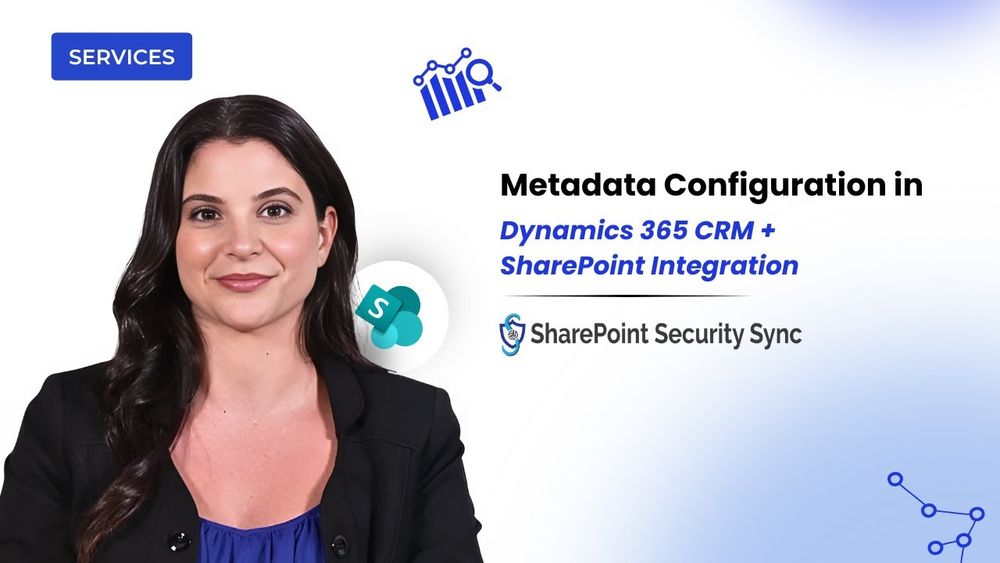
How to Configure SharePoint Metadata in Dynamics 365 CRM
In this technical walkthrough, we break down one of the most powerful yet often overlooked components of Dynamics 365 CRM and SharePoint integration — Metadata configuration. What is Metadata in SharePoint? Metadata is data about your documents, details like Email, Country, Document Type, or any business field you rely on. Instead of leaving files scattered or unnamed, metadata attaches meaningful information to every document, making it searchable, structured, and instantly identifiable. Why Metadata Matters in SharePoint + Dynamics 365 CRM Integration Managing documents inside Dynamics 365 can get messy - files pile up, details get missed, and it becomes harder to locate the right document when you need it. By enabling Metadata, SharePoint Security Sync organizes documents automatically in SharePoint, ensuring every file carries the correct CRM context, such as Email or Country. This leads to: • Better document searchability • Cleaner, structured storage • Accurate context mapping • Seamless sync between CRM fields and SharePoint columns • reduced manual effort and errors What the Video Covers – Step-by-Step Configuration In this demo, you’ll learn exactly how to set up and use the Metadata feature: Create Metadata Columns in SharePoint: We begin by adding a SharePoint column (e.g., Email) and preparing fields like Country, Boolean, option sets, and more for mapping. Enable Metadata in Dynamics 365 CRM: Inside Entity Configuration, we turn on metadata preferences and ensure the selected entity is ready for mapping. Map CRM Fields to SharePoint Columns: Under Metadata Configuration, we map fields, emphasizing that CRM field names and SharePoint column names must match exactly, including case sensitivity. Create a CRM Record & Upload Documents: After filling fields like Email and Country, we upload a document using the Attach2Dynamics interface. The metadata replicates instantly into SharePoint, as shown live in the demo. Real-Time Metadata Updates: You’ll also see how metadata can be edited directly from the Attach2Dynamics UI, and how any change syncs immediately with SharePoint for consistent and accurate document context. By the end of the video, you’ll understand how Metadata ensures every document stays relevant, structured, and context-rich, giving your CRM–SharePoint document management a smarter, automated foundation. Try SharePoint Security Sync today and experience organized, metadata-driven document handling firsthand! #demovideos #viralvideo #trending #videos
youtu.be
December 15, 2025 at 3:30 PM
Stop searching. Stop tagging.
Metadata sync keeps #SharePoint & #D365 organized for you 🧩
▶️ youtu.be/s54uYUMA0xw
#SharePointIntegration #Metadata #Productivity
Metadata sync keeps #SharePoint & #D365 organized for you 🧩
▶️ youtu.be/s54uYUMA0xw
#SharePointIntegration #Metadata #Productivity
WhatsApp Messaging in Dynamics 365 CRM: Creating an AI-supported strategy @msdynamicsworld
msdynamicsworld.com/story/whatsa...
#Dynamics365 #AIinCRM #CustomerEngagement #CRMTools
msdynamicsworld.com/story/whatsa...
#Dynamics365 #AIinCRM #CustomerEngagement #CRMTools

WhatsApp Messaging in Dynamics 365 CRM: Creating an AI-supported strategy
Customer engagement is no longer just about transactions; it’s about conversations. In a world where 66% of customers expect real-time support, according to HubSpot, organisations are broadening their interactions beyond email and phone to channels like messaging apps.
msdynamicsworld.com
December 15, 2025 at 11:30 AM
WhatsApp Messaging in Dynamics 365 CRM: Creating an AI-supported strategy @msdynamicsworld
msdynamicsworld.com/story/whatsa...
#Dynamics365 #AIinCRM #CustomerEngagement #CRMTools
msdynamicsworld.com/story/whatsa...
#Dynamics365 #AIinCRM #CustomerEngagement #CRMTools