



DSDR: A Population Health Data Archive
@dsdr-data.bsky.social
Data Sharing for Demographic Research (DSDR) is funded by the Population Dynamics Branch (PDB) of the Eunice Kennedy Shriver National Institute of Child Health and Human Development.
Website: dsdr.icpsr.umich.edu
Help: [email protected]
Website: dsdr.icpsr.umich.edu
Help: [email protected]
Happy New Year! As we step into 2026, we’re excited to help move your research forward. Please let us know how we can help: [email protected].

January 1, 2026 at 3:03 PM
Happy New Year! As we step into 2026, we’re excited to help move your research forward. Please let us know how we can help: [email protected].
DSDR user support will be closed December 24, 2025 to January 1, 2026. However, the gift of free data never stops! If you need help over the break, please see our FAQs (myumi.ch/kPWjj) or email [email protected] for a response when we return. Happy Holidays!

December 17, 2025 at 3:03 PM
DSDR user support will be closed December 24, 2025 to January 1, 2026. However, the gift of free data never stops! If you need help over the break, please see our FAQs (myumi.ch/kPWjj) or email [email protected] for a response when we return. Happy Holidays!
Stretch the value of your data by depositing with DSDR! Depositing helps other researchers find your amazing work and build on it: myumi.ch/3RPD7 #NationalStretchingDay

December 11, 2025 at 3:02 PM
Stretch the value of your data by depositing with DSDR! Depositing helps other researchers find your amazing work and build on it: myumi.ch/3RPD7 #NationalStretchingDay
The Winter edition of DSDR's Quarterly Newsletter is here! Explore our latest data releases, check out the featured New Immigrant Survey (NIS) study, and learn about exciting updates to the DSDR website: myumi.ch/Mk8EW

December 1, 2025 at 4:57 PM
The Winter edition of DSDR's Quarterly Newsletter is here! Explore our latest data releases, check out the featured New Immigrant Survey (NIS) study, and learn about exciting updates to the DSDR website: myumi.ch/Mk8EW
We wish you an enjoyable holiday. If you need help while we’re away, please see our FAQS: myumi.ch/jJR2V or email [email protected] for assistance on our return.

November 24, 2025 at 3:04 PM
We wish you an enjoyable holiday. If you need help while we’re away, please see our FAQS: myumi.ch/jJR2V or email [email protected] for assistance on our return.
Today we celebrate #WorldChildrensDay, a day that represents the potential in children’s ambitions, dreams, and goals. Explore children’s experiences, attitudes, behaviors, and family dynamics through DSDR data: myumi.ch/79kwE

November 20, 2025 at 4:02 PM
Today we celebrate #WorldChildrensDay, a day that represents the potential in children’s ambitions, dreams, and goals. Explore children’s experiences, attitudes, behaviors, and family dynamics through DSDR data: myumi.ch/79kwE
New data release! The National ZIP Code Crosswalk, [United States], 1990-2020 (ICPSR 39431) identifies changes in ZIP Code boundaries across the U.S. Access the data and see how it can enhance your longitudinal and geographical research: myumi.ch/NrZ1p
![Graphic reads: National ZIP Code Crosswalk, [United States], 1990-2020 (ICPSR 39431) and the PI’s names: Bailey, A.K., & Helmuth, A.S.](https://cdn.bsky.app/img/feed_thumbnail/plain/did:plc:zwedutifkffhwd5rmzbtsuhd/bafkreih5xzpwymdgkpdg7ths3aqpzmq7brinilxqsgcybiqrwwwk2gmk4u@jpeg)
November 18, 2025 at 6:00 PM
New data release! The National ZIP Code Crosswalk, [United States], 1990-2020 (ICPSR 39431) identifies changes in ZIP Code boundaries across the U.S. Access the data and see how it can enhance your longitudinal and geographical research: myumi.ch/NrZ1p
County-level net migration estimates for 2010-2020 are now available by age, Hispanic origin, race, and sex. Explore the data through DSDR: myumi.ch/3RX3A
![Graphic reads: County-Specific Net Migration by Five-Year Age Groups, Hispanic Origin, Race, and Sex, 2010-2020: [United States] (ICPSR 39582) and the PI’s name: Curtis et al.](https://cdn.bsky.app/img/feed_thumbnail/plain/did:plc:zwedutifkffhwd5rmzbtsuhd/bafkreibqu2as7eylcwxt5tf6wfaabjibp36uzsdbcopj46fbzriadxrcgi@jpeg)
November 13, 2025 at 6:40 PM
County-level net migration estimates for 2010-2020 are now available by age, Hispanic origin, race, and sex. Explore the data through DSDR: myumi.ch/3RX3A
Today we recognize the service and sacrifice of U.S. Veterans. The Panel Study of Income Dynamics (PSID) includes measures related to military service and veteran status that can support research on veteran populations. Explore the variables: myumi.ch/8q7dR

November 11, 2025 at 3:02 PM
Today we recognize the service and sacrifice of U.S. Veterans. The Panel Study of Income Dynamics (PSID) includes measures related to military service and veteran status that can support research on veteran populations. Explore the variables: myumi.ch/8q7dR
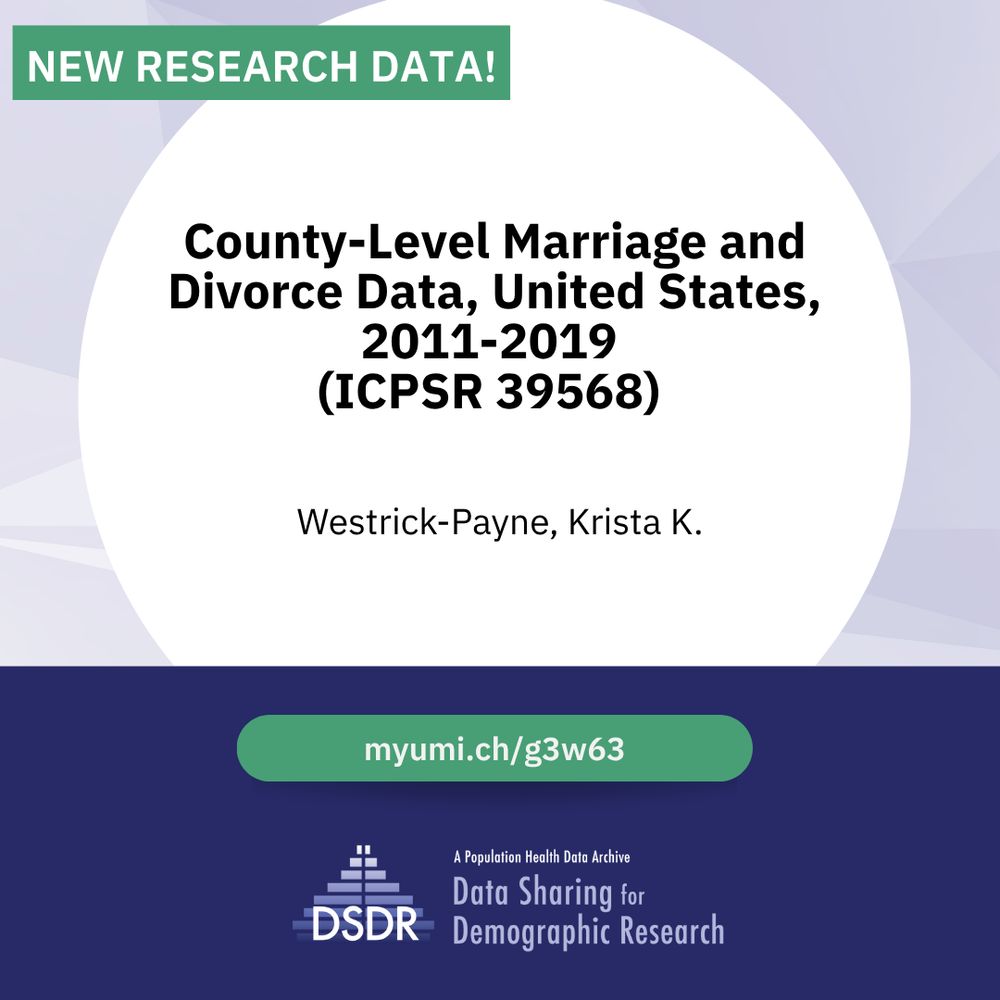
New data alert! County- and state-level marriage and divorce data (2011–2019) now available! Link these records with other datasets to enrich your research. Learn more: myumi.ch/g3w63
November 5, 2025 at 7:49 PM
New data alert! County- and state-level marriage and divorce data (2011–2019) now available! Link these records with other datasets to enrich your research. Learn more: myumi.ch/g3w63
Don’t miss out on #SelfPromotionMonth! Help others discover your research by contributing to the ICPSR Bibliography: myumi.ch/qZMqx. Citations help others find and review work already done and explore new avenues of research as well.

October 30, 2025 at 7:04 PM
Don’t miss out on #SelfPromotionMonth! Help others discover your research by contributing to the ICPSR Bibliography: myumi.ch/qZMqx. Citations help others find and review work already done and explore new avenues of research as well.
Are your NICHD-funded data already available elsewhere? You can still add your study to the DSDR CATalog to boost discoverability. This #NationalCatDay submit your deposit to DSDR (myumi.ch/2r2pz). Email [email protected] with questions.

October 29, 2025 at 2:04 PM
Are your NICHD-funded data already available elsewhere? You can still add your study to the DSDR CATalog to boost discoverability. This #NationalCatDay submit your deposit to DSDR (myumi.ch/2r2pz). Email [email protected] with questions.
The DSDR website has a fresh new look! Our redesigned site features updated content and a modern design to help you explore population health data and resources. Take a look at dsdr.icpsr.umich.edu.

October 28, 2025 at 7:12 PM
The DSDR website has a fresh new look! Our redesigned site features updated content and a modern design to help you explore population health data and resources. Take a look at dsdr.icpsr.umich.edu.
Our website is getting a fresh new look next week! Please note that services may be temporarily unavailable Monday evening, Oct. 27, as we prepare for this exciting update.

October 24, 2025 at 1:04 PM
Our website is getting a fresh new look next week! Please note that services may be temporarily unavailable Monday evening, Oct. 27, as we prepare for this exciting update.
On National #ChildHealthDay, explore the 2025 Strategic Plan from the Eunice Kennedy Shriver National Institute of Child Health and Human Development (NICHD)—advancing child health, pregnancy and lactation care, fertility research and more: myumi.ch/y1ZMP

October 6, 2025 at 2:30 PM
On National #ChildHealthDay, explore the 2025 Strategic Plan from the Eunice Kennedy Shriver National Institute of Child Health and Human Development (NICHD)—advancing child health, pregnancy and lactation care, fertility research and more: myumi.ch/y1ZMP
Today we honor the unsung heroes within our organization and at our partner institutions. You are a blessing. Happy #ResearchAdministratorDay. If we can help you, please let us know: [email protected].

September 25, 2025 at 8:00 PM
Today we honor the unsung heroes within our organization and at our partner institutions. You are a blessing. Happy #ResearchAdministratorDay. If we can help you, please let us know: [email protected].
Celebrate #NationalStatesandCapitalsDay by exploring studies conducted in state capitals like Baby’s First Years (ICPSR 37871) & the Boston Reentry Study (ICPSR 39307). Looking for state-level data? DSDR has 100+ studies covering one or more states: myumi.ch/5k1k1

September 22, 2025 at 8:00 PM
Celebrate #NationalStatesandCapitalsDay by exploring studies conducted in state capitals like Baby’s First Years (ICPSR 37871) & the Boston Reentry Study (ICPSR 39307). Looking for state-level data? DSDR has 100+ studies covering one or more states: myumi.ch/5k1k1
Where do pirates store their data? ARRRchives. Questions about depositing data? Learn more here myumi.ch/y1JM4 or contact us at [email protected]. #talklikeapirateday

September 19, 2025 at 2:02 PM
Where do pirates store their data? ARRRchives. Questions about depositing data? Learn more here myumi.ch/y1JM4 or contact us at [email protected]. #talklikeapirateday
This #OnlineLearningDay, rethink traditional catalogs and repositories! Learn about a new framework that boosts the FAIRness of research data by bridging silos. Replay the webinar: myumi.ch/JPAQ5

September 15, 2025 at 8:02 PM
This #OnlineLearningDay, rethink traditional catalogs and repositories! Learn about a new framework that boosts the FAIRness of research data by bridging silos. Replay the webinar: myumi.ch/JPAQ5
Celebrate National Swap Ideas Day! Discover how the Virtual Data Enclave (VDE) boosts cross-discipline research and idea sharing by removing barriers to collaboration: myumi.ch/g3gpV

September 10, 2025 at 7:24 PM
Celebrate National Swap Ideas Day! Discover how the Virtual Data Enclave (VDE) boosts cross-discipline research and idea sharing by removing barriers to collaboration: myumi.ch/g3gpV
Grandparents are integral to families across the world. Celebrate Grandparents Day and learn about their impact through data at DSDR: myumi.ch/y1Nq8 #DoSomethingGrand

September 7, 2025 at 2:01 PM
Grandparents are integral to families across the world. Celebrate Grandparents Day and learn about their impact through data at DSDR: myumi.ch/y1Nq8 #DoSomethingGrand
It's Back-to-School season! Whether you're a student diving into your first project or faculty preparing for another semester, DSDR has data to support your research myumi.ch/Xy7nb.
Need help getting started? Email us to start a conversation: [email protected].
Need help getting started? Email us to start a conversation: [email protected].

September 2, 2025 at 2:01 PM
It's Back-to-School season! Whether you're a student diving into your first project or faculty preparing for another semester, DSDR has data to support your research myumi.ch/Xy7nb.
Need help getting started? Email us to start a conversation: [email protected].
Need help getting started? Email us to start a conversation: [email protected].
DSDR User Support will be closed September 1st in observance of Labor Day. Please see our Resources page: myumi.ch/61xQx for assistance during this time. Email [email protected] for assistance upon our return.

August 28, 2025 at 2:02 PM
DSDR User Support will be closed September 1st in observance of Labor Day. Please see our Resources page: myumi.ch/61xQx for assistance during this time. Email [email protected] for assistance upon our return.
DSDR's latest Quarterly Newsletter is here! Discover new data releases, take a closer look at the Katrina@10 Series, and learn about our leadership transition as we thank John Marcotte for his many years of service as Director: myumi.ch/y1dAW

August 27, 2025 at 8:20 PM
DSDR's latest Quarterly Newsletter is here! Discover new data releases, take a closer look at the Katrina@10 Series, and learn about our leadership transition as we thank John Marcotte for his many years of service as Director: myumi.ch/y1dAW
Newly released restricted-access dataset explores HIV risk, exploitation, victimization & more among Asian immigrant women in massage parlors. Learn more: myumi.ch/E8Emk

August 13, 2025 at 2:12 PM
Newly released restricted-access dataset explores HIV risk, exploitation, victimization & more among Asian immigrant women in massage parlors. Learn more: myumi.ch/E8Emk