




めぐみ
@megumi-nui.bsky.social
20↑/ぬい&腐なアカウント。呪(😎🐯)本誌派/のんびり🪡して撮影してます。
Reposted by めぐみ
ブルスカでだいじなこと②
Blueskyの初期設定ではセンシティブな画像は見られないようになっていますので、絵師さんたちのスケベなイラストを拝むためにも設定で見られる設定をしましょう。(18歳以上の方限定)
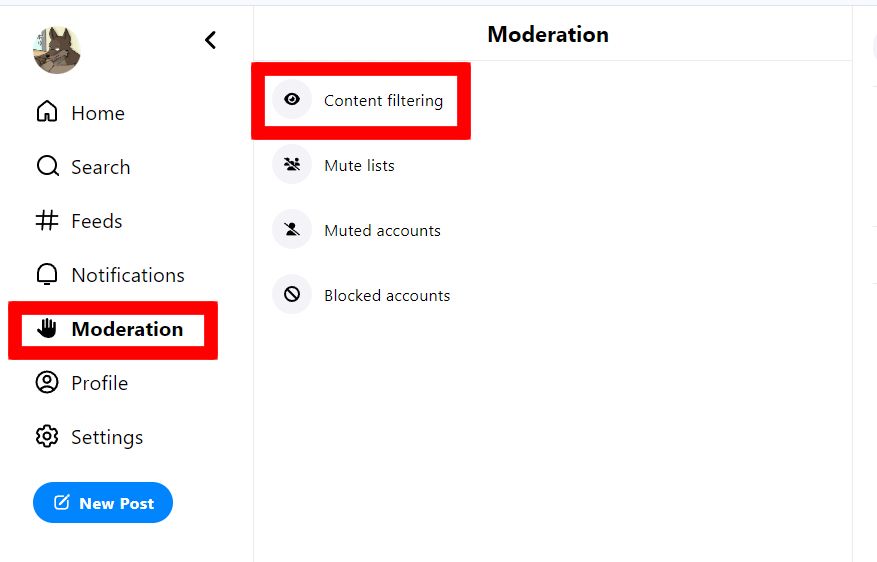
まずは1枚目の画像のメニューにある「Moderation」を押して、次に表示された画像の「Content filtering」を押します。
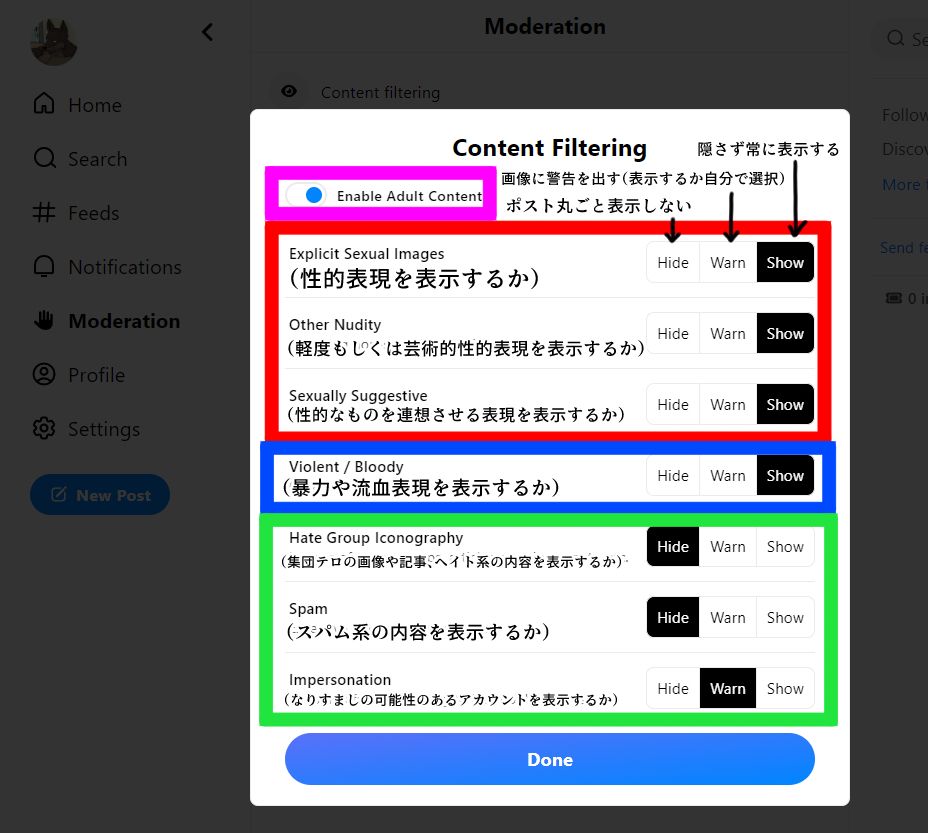
そして2枚目のピンク枠のボタンを押して設定を変えられるようにします。赤枠の部分は全部「Show」でいいと思います。青枠以降は各自好きに設定してください。(なんとなくの意味は訳しました)
なおiOS版はアプリからの変更はできませんのでWeb版から行うことでアプリにも反映されます。
まずは1枚目の画像のメニューにある「Moderation」を押して、次に表示された画像の「Content filtering」を押します。
そして2枚目のピンク枠のボタンを押して設定を変えられるようにします。赤枠の部分は全部「Show」でいいと思います。青枠以降は各自好きに設定してください。(なんとなくの意味は訳しました)
なおiOS版はアプリからの変更はできませんのでWeb版から行うことでアプリにも反映されます。
February 7, 2024 at 4:51 AM
ブルスカでだいじなこと②
とりあえず登録✨💪英語弱いから日本語表記…(笑)
December 20, 2023 at 4:55 AM
とりあえず登録✨💪英語弱いから日本語表記…(笑)
