



@crysholistictech.bsky.social
Pinned
Need to transfer large vid files on an Android? 2 ways:
USB Cable: Connect Android, select FILE TRANSFER, & copy files to Windows Explorer.
Bluetooth: Enable Bluetooth on both devices, pair them, & use SEND OR RECEIVE FILES VIA BLUETOOTH. #TechTips #Android #Windows #FileTransfer #largefiles
USB Cable: Connect Android, select FILE TRANSFER, & copy files to Windows Explorer.
Bluetooth: Enable Bluetooth on both devices, pair them, & use SEND OR RECEIVE FILES VIA BLUETOOTH. #TechTips #Android #Windows #FileTransfer #largefiles
Need to transfer large vid files on an Android? 2 ways:
USB Cable: Connect Android, select FILE TRANSFER, & copy files to Windows Explorer.
Bluetooth: Enable Bluetooth on both devices, pair them, & use SEND OR RECEIVE FILES VIA BLUETOOTH. #TechTips #Android #Windows #FileTransfer #largefiles
USB Cable: Connect Android, select FILE TRANSFER, & copy files to Windows Explorer.
Bluetooth: Enable Bluetooth on both devices, pair them, & use SEND OR RECEIVE FILES VIA BLUETOOTH. #TechTips #Android #Windows #FileTransfer #largefiles
April 30, 2025 at 8:49 PM
Need to transfer large vid files on an Android? 2 ways:
USB Cable: Connect Android, select FILE TRANSFER, & copy files to Windows Explorer.
Bluetooth: Enable Bluetooth on both devices, pair them, & use SEND OR RECEIVE FILES VIA BLUETOOTH. #TechTips #Android #Windows #FileTransfer #largefiles
USB Cable: Connect Android, select FILE TRANSFER, & copy files to Windows Explorer.
Bluetooth: Enable Bluetooth on both devices, pair them, & use SEND OR RECEIVE FILES VIA BLUETOOTH. #TechTips #Android #Windows #FileTransfer #largefiles
Always download PDFs from reputable websites to avoid malware. Ensure the URL has after S in http. Before downloading, preview the PDF in your browser to confirm it's the correct document. This helps save time and prevents unnecessary downloads. Stay safe online! #taxfiling #digitaldocuments
February 23, 2025 at 3:07 AM
Always download PDFs from reputable websites to avoid malware. Ensure the URL has after S in http. Before downloading, preview the PDF in your browser to confirm it's the correct document. This helps save time and prevents unnecessary downloads. Stay safe online! #taxfiling #digitaldocuments
Reposted

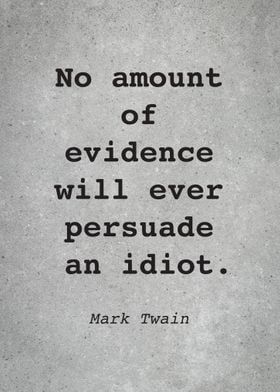
Monday thought:
February 10, 2025 at 1:41 PM
Monday thought:
#coverlettertips #msword Tailor your cover letter to the job by highlighting relevant achievements & experiences that match skills the employer seeks. Research the company’s mission, values, & recent developments. Mention aspects that resonate & explain why you are excited to contribute.
January 30, 2025 at 11:14 PM
#coverlettertips #msword Tailor your cover letter to the job by highlighting relevant achievements & experiences that match skills the employer seeks. Research the company’s mission, values, & recent developments. Mention aspects that resonate & explain why you are excited to contribute.
Kickstart 2025 Holistic Tech tip #1: Back up important files using cloud storage or an external drive. If you keep them online - don't tell anyone that password! If you use an external drive, keep in a secure location (a small safe or outside storage facility) #TechTips #DigitalDeclutter
January 11, 2025 at 7:10 PM
Kickstart 2025 Holistic Tech tip #1: Back up important files using cloud storage or an external drive. If you keep them online - don't tell anyone that password! If you use an external drive, keep in a secure location (a small safe or outside storage facility) #TechTips #DigitalDeclutter
Today in Tech History - Dec 31, 1999 = Y2K: The Y2K bug was a software glitch where systems using two-digit years (ex: 99 for 1999) were feared to interpret 00 as 1900. It sparked fears of global failures, but billions spent on fixes helped avoid major issues. 😅 #techtip #holistictech
December 31, 2024 at 7:28 PM
Today in Tech History - Dec 31, 1999 = Y2K: The Y2K bug was a software glitch where systems using two-digit years (ex: 99 for 1999) were feared to interpret 00 as 1900. It sparked fears of global failures, but billions spent on fixes helped avoid major issues. 😅 #techtip #holistictech
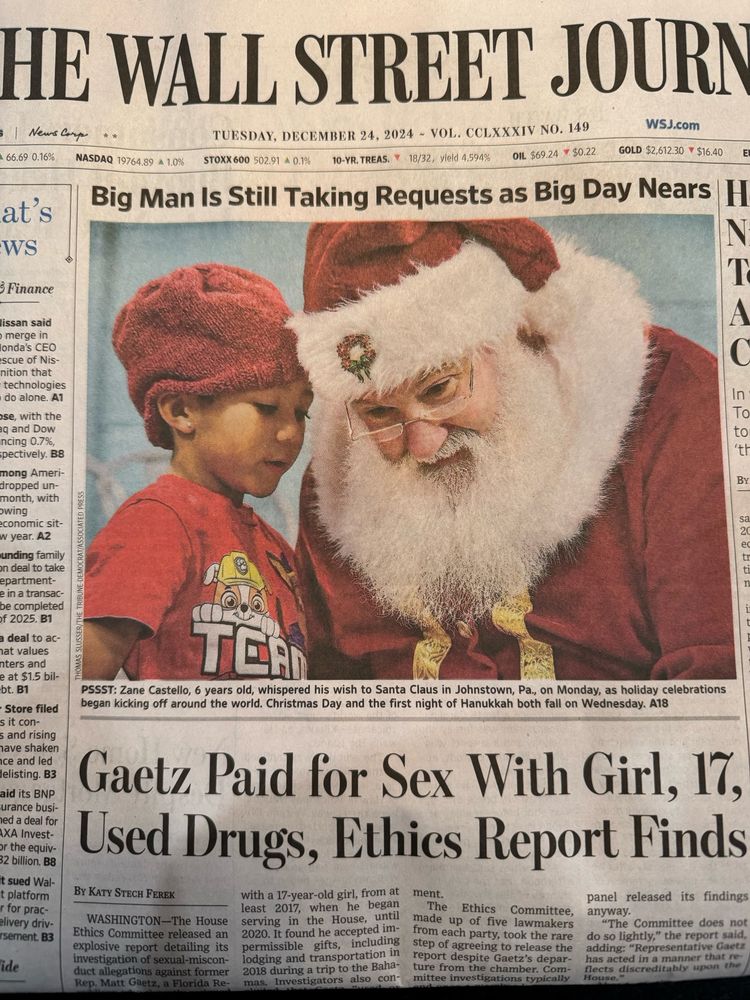
Epic ...

December 24, 2024 at 5:29 PM
Epic ...
Spam texts love to create panic with urgent messages like, “Your accout is locked! Act now!” But take a closer look—poor spelling, weird capitalization, and sloppy grammar are big red flags. Don’t rush! Verify the message and think before you act. Stay safe! #recognizespam #HolidayScamAlert
December 23, 2024 at 11:57 PM
Spam texts love to create panic with urgent messages like, “Your accout is locked! Act now!” But take a closer look—poor spelling, weird capitalization, and sloppy grammar are big red flags. Don’t rush! Verify the message and think before you act. Stay safe! #recognizespam #HolidayScamAlert
Reposted
Holiday season = prime time for email scams! Be cautious of deals too good to be true or fake shipping updates or updating your account details. Check the sender's email address & verify links. Unsure? Forward the email and check the Sender email address. #solution #CyberSafety #HolidayTips
December 11, 2024 at 6:18 PM
Holiday season = prime time for email scams! Be cautious of deals too good to be true or fake shipping updates or updating your account details. Check the sender's email address & verify links. Unsure? Forward the email and check the Sender email address. #solution #CyberSafety #HolidayTips
Holiday season = prime time for email scams! Be cautious of deals too good to be true or fake shipping updates or updating your account details. Check the sender's email address & verify links. Unsure? Forward the email and check the Sender email address. #solution #CyberSafety #HolidayTips
December 11, 2024 at 6:18 PM
Holiday season = prime time for email scams! Be cautious of deals too good to be true or fake shipping updates or updating your account details. Check the sender's email address & verify links. Unsure? Forward the email and check the Sender email address. #solution #CyberSafety #HolidayTips
#holistic tip: Use MS Excel AutoFill to save time by copying data, extending patterns, or creating sequences. Drag the fill handle (the little “+” in the cell’s corner) to auto-complete entries. It's faster and more accurate than typing, ensuring consistency in repetitive tasks.

December 11, 2024 at 5:58 PM
#holistic tip: Use MS Excel AutoFill to save time by copying data, extending patterns, or creating sequences. Drag the fill handle (the little “+” in the cell’s corner) to auto-complete entries. It's faster and more accurate than typing, ensuring consistency in repetitive tasks.
#holistic tip: Your PowerPoint presentation isn’t just slides—it’s about message, connection, & flow. Also, use slides as visual aids, not scripts. Keep text minimal & focus on visuals that enhance your PPT for great impact.
December 6, 2024 at 6:53 PM
#holistic tip: Your PowerPoint presentation isn’t just slides—it’s about message, connection, & flow. Also, use slides as visual aids, not scripts. Keep text minimal & focus on visuals that enhance your PPT for great impact.
Reposted

AI Ethics is the study of how to create and deploy artificial intelligence systems responsibly. It encompasses fairness, accountability, transparency, and the societal impacts of AI technologies. As we integrate AI into daily life, ethical considerations are crucial. 🤖
November 30, 2024 at 9:05 PM
AI Ethics is the study of how to create and deploy artificial intelligence systems responsibly. It encompasses fairness, accountability, transparency, and the societal impacts of AI technologies. As we integrate AI into daily life, ethical considerations are crucial. 🤖
Reposted

November 30, 2024 at 4:53 AM
Quick SUM 2 – Let’s write the formula. In the second set of numbers, click in the blank cell where the total should be. Type =SUM. A list of Excel’s SUM formulas will appear. Click on the first one. Now with your cursor select all the addends (remember that from HS?!). Press Enter & Voila!
November 30, 2024 at 1:10 AM
Quick SUM 2 – Let’s write the formula. In the second set of numbers, click in the blank cell where the total should be. Type =SUM. A list of Excel’s SUM formulas will appear. Click on the first one. Now with your cursor select all the addends (remember that from HS?!). Press Enter & Voila!
Quick SUM 1 - Select all the cells with your mouse that you want to add up and leave an extra space at the last cell. This where the SUM will be. In the Ribbon Editing group navigate to AutoSum and click. The total will appear in the empty cell.
November 30, 2024 at 1:10 AM
Quick SUM 1 - Select all the cells with your mouse that you want to add up and leave an extra space at the last cell. This where the SUM will be. In the Ribbon Editing group navigate to AutoSum and click. The total will appear in the empty cell.
Here are 2 quick ways to do SUM in MS Excel. Tip to get quick results: make sure your numbers are next to each other. In other words, no empty cells in between them. Yes, they can be horizontally or vertically written. Written instructions follow.
November 30, 2024 at 1:10 AM
Here are 2 quick ways to do SUM in MS Excel. Tip to get quick results: make sure your numbers are next to each other. In other words, no empty cells in between them. Yes, they can be horizontally or vertically written. Written instructions follow.
Big Q I get asked in MS Excel: How To Resize Columns. A: Move your mouse cursor inbtwn column A&B to get the two-headed arrow to doubleclick to resize. If you want the entire spreadsheet resized: move your cursor and click the Select All button (above 1 & left of A) doubleclick to resize
November 26, 2024 at 3:48 AM
Big Q I get asked in MS Excel: How To Resize Columns. A: Move your mouse cursor inbtwn column A&B to get the two-headed arrow to doubleclick to resize. If you want the entire spreadsheet resized: move your cursor and click the Select All button (above 1 & left of A) doubleclick to resize
I’m Crystal the Holistic Tech! Need help troubleshooting, learning new tech, or staying sane in a digital world? I’ve got you covered—let’s make tech work for you! Will be posting tips on MS Excel soon
November 23, 2024 at 12:12 AM
I’m Crystal the Holistic Tech! Need help troubleshooting, learning new tech, or staying sane in a digital world? I’ve got you covered—let’s make tech work for you! Will be posting tips on MS Excel soon